ImpulsiveDLLHijack
A C# based tool that automates the process of discovering and exploiting DLL Hijacks in target binaries.
The discovered Hijacked paths can be weaponized, during an engagement, to evade EDR's.
Install:
Procmon.exe -> https://docs.microsoft.com/en-us/sysinternals/downloads/procmon
Custom Confirmatory DLL's :
These are DLL files which assist the tool to get the confirmation whether the DLL's are been successfully loaded from the identified hijack path
Compiled from the MalDLL project provided above (or use the precompiled binaries if you trust me!)
32Bit dll name should be: maldll32.dll
64Bit dll name should be: maldll64.dll
Install NuGet Package:** PeNet** -> https://www.nuget.org/packages/PeNet/ (Prereq while compiling the ImpulsiveDLLHijack project)
Note: i & ii prerequisites should be placed in the ImpulsiveDLLHijacks.exe's directory itself.
Build and Setup Information:
ImpulsiveDLLHijack
Clone the repository in Visual Studio
Once project is loaded in Visual Studio go to "Project" --> "Manage NuGet packages" --> Browse for packages and install "PeNet" -> https://www.nuget.org/packages/PeNet/
Build the project!
The ImpulsiveDLLHijack.exe will be inside the bin directory.
And for Confirmatory DLL's:
Clone the repository in Visual Studio
Build the project with x86 and x64
Rename x86 release as maldll32.dll and x64 release as maldll64.dll
Setup: Copy the Confirmatory DLL's (maldll32 & maldll64) in the ImpulsiveDLLHijack.exe directory & then execute ImpulsiveDLLHijack.exe :))
Install instructions from https://github.com/knight0x07/ImpulsiveDLLHijack#2-prerequisites
Usage:
# Help
ImpulsiveDLLHijack.exe -h

# Look for vulnerabilities in an executable
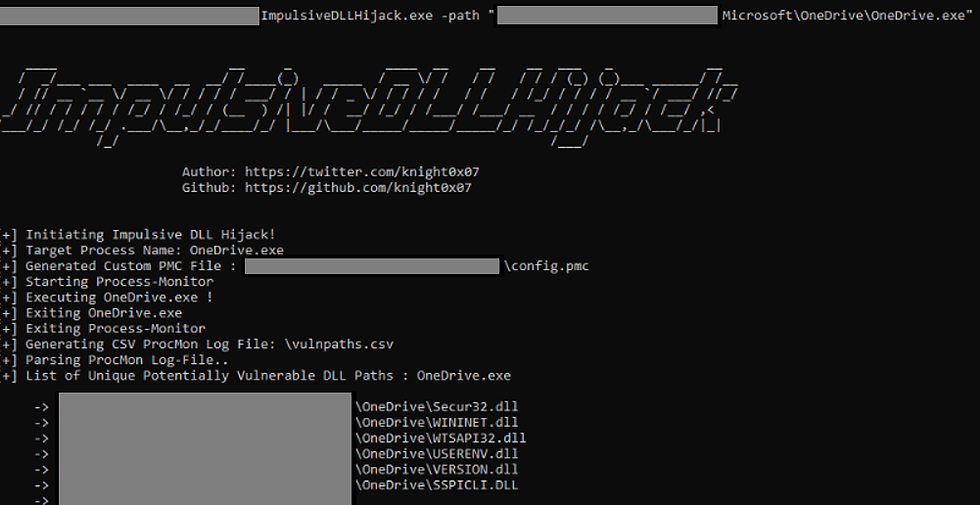
ImpulsiveDLLHijack.exe -path BINARY_PATH
Usage examples can be found here.



Comments